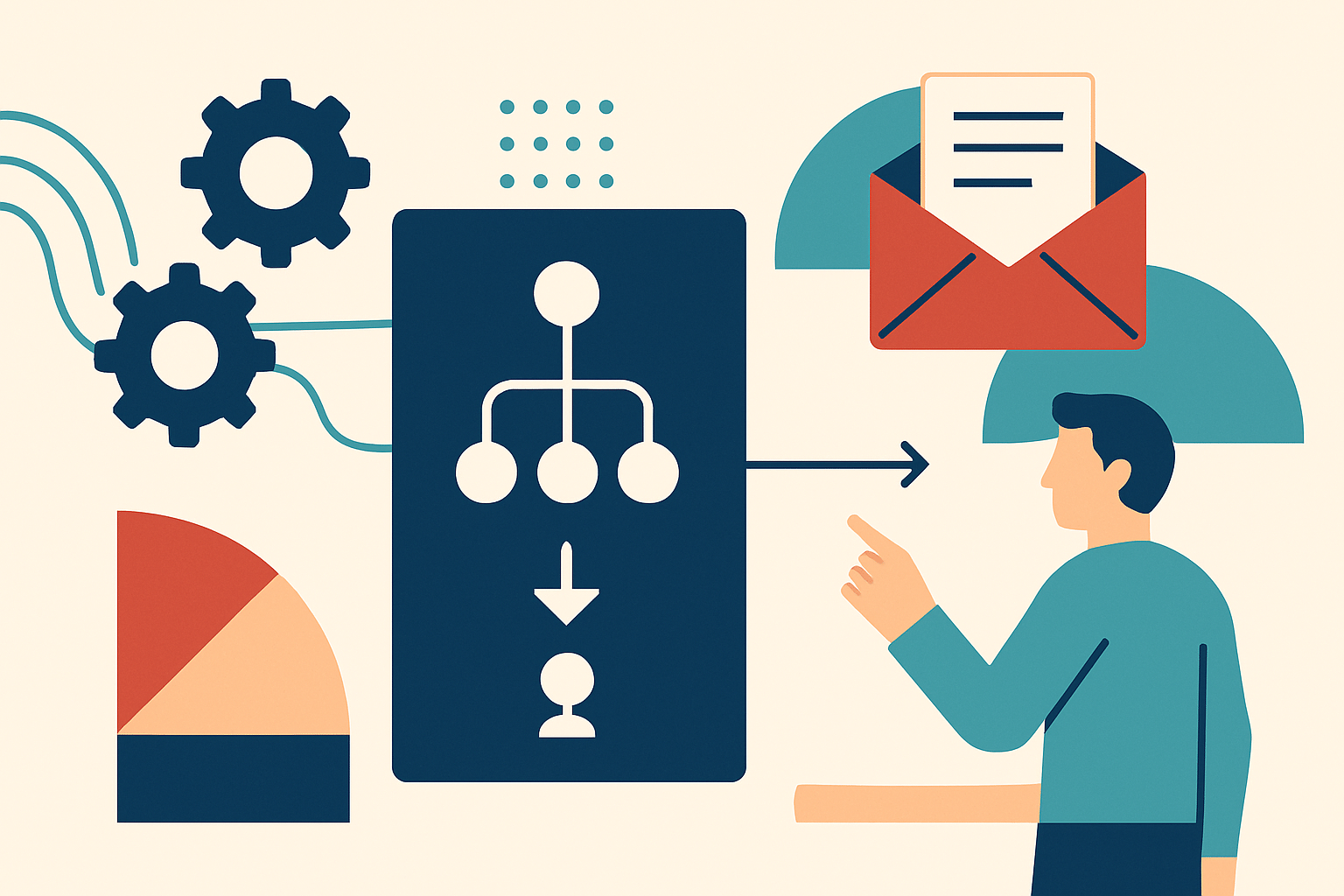
Automate the Follow-Up, Not the Relationship is a useful operating principle for any team that wants to stay present without sounding like a sequence generator. Prospects need timely responses, useful next steps, and the confidence that someone understands their situation. A system can help your team remember when to reach out, prepare the right information, and avoid letting promising conversations disappear. It cannot decide what matters to this particular person, interpret a delicate pause, or create genuine rapport on your behalf.
Creative directors and marketing leaders often sit between two understandable pressures. One is the need to deliver a thoughtful experience across many prospects, channels, and internal handoffs. The other is the fear that automation will flatten the voice, timing, and nuance that make the business feel distinctive. The solution is not to choose between consistency and humanity. It is to assign each one to the work it does best: let automation manage repeatable coordination, and let people own meaning, judgment, and relationship-building.
This distinction changes how you evaluate marketing automation. Instead of asking how many messages the platform can send, ask which moments deserve a person’s attention and which routine actions should happen reliably in the background. A good automated follow-up makes the next human interaction more informed, not less personal. It gives a teammate useful context before they write, protects a prospect from being forgotten, and stops a process from depending on one person’s memory or a crowded inbox.
An automated follow-up is a trigger and a helpful next action, not a substitute for a relationship. For example, when someone requests a proposal, the CRM can create a task for the account owner, attach the brief, and remind them to respond within one business day. The system may also send a short confirmation that the request arrived and explain when a personal response is likely. The owner still decides what to say, what questions to ask, and whether the prospect’s situation calls for a different pace.
Think of the workflow as a backstage crew rather than the performer. The crew moves the right information to the right place, cues the next step, and prevents avoidable mistakes. The person in the conversation brings timing, empathy, creative judgment, and the ability to respond to what was actually said. This division can make communication feel more attentive because the team has more time to prepare and less pressure to remember every administrative detail.
In practice, a strong CRM follow-up workflow has three layers. First, it captures a meaningful event, such as an inquiry, meeting, proposal delivery, or agreed decision date. Second, it prepares a relevant action, such as a reminder, task, or modest service message. Third, it leaves a human review point wherever interpretation or a business decision is needed. If a step cannot be explained as useful to the prospect, it probably does not belong in the sequence just because the platform makes it easy to send.
Before selecting software or writing templates, map the moments when your current sales follow-up process loses momentum. Look for missed replies after a first conversation, long gaps after a proposal, duplicate messages from different teammates, and vague internal handoffs that leave a prospect repeating their needs. Ask the people who do the work where they lose time and what they worry about forgetting. Their answers will reveal whether the problem is timing, ownership, missing context, unclear messaging, or a combination of all four.
Use a simple conversation map that begins with the prospect’s action and ends with a clear next step. For every stage, record what the prospect did, what they may reasonably expect next, who owns the response, and what information that person needs. Include less obvious moments such as a referral introduction, a postponed decision, or a prospect who says the timing is wrong. These situations matter because a rigid sequence can mistake a thoughtful pause for disinterest and continue sending messages that feel tone-deaf.
Keep the first map deliberately small. A creative studio might begin with three moments: new inquiry received, discovery meeting completed, and proposal sent. A marketing consultancy might add a post-workshop recap and a future check-in for prospects who have delayed a decision. You are not trying to automate every point of contact. You are identifying the few high-value moments where a reliable cue would help the team deliver a better, more consistent human response.
Automate tasks that are predictable, low-risk, and useful when completed consistently. Examples include assigning an inquiry to the correct owner, creating a task after a meeting, reminding an account lead that a promised resource is due, and recording whether a proposal has been opened or answered. A system can also acknowledge receipt and set expectations, provided the confirmation is accurate and the prospect has a clear way to contact a person. These actions reduce delay without pretending that a machine understands the full conversation.
Keep human ownership around interpretation, negotiation, emotional signals, and content that depends on a prospect’s particular context. A platform can remind a strategist to follow up after a difficult budget conversation, but it cannot reliably judge whether the right next move is a phone call, a smaller scope, or a respectful pause. A person should review any message that references a sensitive concern, makes a promise, changes commercial terms, or responds to frustration. When the stakes rise, increase human attention rather than adding another automated step.
A practical sorting test is to ask whether the action can be completed correctly from structured information alone. If the answer is yes, it may be a candidate for automation. If success depends on reading between the lines, weighing competing priorities, or choosing a tone that fits the moment, keep the decision with a person. This is not a claim that automation is impersonal by nature. It is a reminder that personalization is not the same as inserting a first name into a message that still ignores what the recipient cares about.
Your CRM should make the next conversation easier to have, not merely store a trail of activity. Capture a small set of useful fields: the prospect’s goal, the challenge they described, their preferred channel, the people involved in the decision, and the next step they agreed to. Add a concise conversation note in plain language instead of relying on a string of labels that only the original salesperson understands. The standard is simple: a colleague who did not attend the meeting should be able to prepare for a respectful follow-up in a few minutes.
Then define the workflow trigger, owner, timing, and exit condition. For example, a proposal marked as sent could create a task for the account lead after three business days, but the task should disappear if the prospect has replied, the opportunity has moved to another stage, or the owner has logged a personal conversation. These exit rules prevent an automated follow-up from continuing after it has become irrelevant. They also protect prospects from receiving a scheduled nudge at the same time that a teammate is already handling their question.
Keep your data requirements lean enough that the team will maintain them. A CRM with twenty mandatory fields can look thorough while encouraging rushed, low-quality entries. Start with the information needed to determine relevance, ownership, and next action, then add fields only when they improve a real decision. Review a sample of records each month and ask whether the notes help someone write a more specific message. If they do not, simplify the form or clarify the standard for useful notes.
Personalized follow-up emails are not emails with a name token and a company token. They show that the sender remembers the substance of the conversation and can connect it to a useful next step. A dependable structure is to mention a specific point the prospect raised, offer one relevant insight or resource, and make the next action easy to understand. Keep the message focused on the recipient’s situation rather than turning every touchpoint into another explanation of your services.
For instance, after a conversation about a product launch with a compressed timeline, a human-written note could say: “You mentioned that the launch date is fixed, while the landing page is still waiting on customer proof. I’ve pulled together two ways to structure the first draft without waiting for the full case study. Would it help if I sent those options before Thursday?” The detail demonstrates attention, and the question gives the prospect a simple choice. A generic “Just checking in to see if you had thoughts” asks the recipient to do more work while offering little in return.
Templates can support this standard when they provide a scaffold rather than a finished performance. Include optional prompts such as “refer to the goal they named” or “confirm the next step agreed,” and require the sender to replace them with accurate details. Use approved language for routine information, but let the writer decide which points deserve emphasis. Read templates aloud, remove inflated claims, and check that the message would still sound natural if sent by a real teammate in a one-to-one conversation.
Good timing is about respecting the prospect’s attention and commitments, not maximizing the number of touches. Agree on a reasonable response window for each type of inquiry, then make the CRM create a reminder when a teammate needs to act. If you promise to send a recap by Wednesday, the system can help make sure Wednesday does not become Friday. If a prospect says their team will revisit the decision next month, record that date and the reason for the pause instead of running a standard weekly sequence.
Set timing by context and channel. A new inquiry with a clear request may merit a response within one business day, while a post-proposal check-in should reflect the decision timeline discussed in the meeting. A message after a referral introduction may be more effective as a personal reply than a scheduled sequence, since the introduction itself carries social meaning. Consider time zones, working days, and any communication preferences the prospect has shared, and avoid treating an open or click as permission to increase pressure.
Build a visible pause option into the process. If someone asks for more time, the owner should be able to set a future reminder and stop the other scheduled messages. If a prospect declines, close the active sequence politely and record any permission for a later check-in. If there is no response, use a small number of useful, spaced messages and then leave the door open without chasing indefinitely. A respectful pause can preserve trust, while repeated nudges after a clear answer can damage it.
You do not need a platform migration or an elaborate campaign to improve follow-up. Start with one prospect journey that happens often and has a clear business purpose, such as responding to inbound inquiries or following up after a proposal. Bring together the people who own the conversation, the person who manages your CRM, and a marketing partner who can check tone and relevance. In a short working session, agree on the moment that starts the workflow and the human action it is meant to support.
Use this sequence to create a practical first version. Keep each decision tied to an owner and a prospect benefit, and write down what should stop the workflow as carefully as what should start it. You can document the process in a shared page before configuring your software, which makes the logic easier to review and keeps the conversation focused on the experience rather than platform features.
At the end of the week, do not judge the pilot only by whether the messages went out. Ask whether owners felt better prepared, whether prospects received a clear next step, and whether any automated action created extra work or confusion. Make one improvement at a time, such as changing the reminder timing, adjusting the task description, or removing an unnecessary message. Once the workflow is reliable and well received, consider adapting the same pattern to the next important moment in the customer journey.
Case note: a small creative studio. The studio received strong referrals, but its creative director often found promising inquiries buried beneath project delivery emails. The team set up an automated acknowledgment that confirmed receipt and explained that a person would respond by the next business day. At the same time, the CRM assigned each inquiry to a named owner and created a task with the referral source and the prospect’s stated project goal, so the first human message could begin with what mattered.
They did not automate the studio’s first substantive reply. The owner reviewed the brief, noticed when the inquiry referred to an existing client relationship, and chose whether to propose a call or ask one clarifying question. After four weeks, the studio found fewer inquiries without an owner and fewer apologies for delayed responses. More importantly, the creative director said the acknowledgment reduced the pressure to dash off an incomplete reply between meetings, leaving more room to write a useful one.
Case note: a marketing consultancy. A consultancy had a pattern of sending several follow-up emails after proposals, even when a prospect had already explained that budget approval would take time. The team changed the workflow so a proposal delivery created a reminder for the account lead, not an automatic sales sequence. The lead sent a personalized note that summarized the agreed scope, asked whether the procurement timeline still held, and offered to answer questions for the internal team.
When the prospect requested a six-week pause, the lead recorded the date and stopped the active reminders. A single CRM task appeared shortly before the agreed check-in, with the budget context and the prospect’s concern about implementation capacity. The eventual message referenced that concern and offered a short working session rather than a generic “checking in.” The consultancy did not automate the relationship; it automated remembering what had been promised and made the next human contact more relevant.
Choose KPIs that reflect both operational reliability and the quality of the experience. Useful operational measures include median response time, percentage of inquiries with an assigned owner, follow-up tasks completed by their due date, and the share of opportunities with a documented next step. These indicators show whether your process is dependable. They do not prove that every message is helpful, so pair them with a small set of experience and business measures.
For experience, review reply sentiment, opt-out or complaint rates, the number of prospects who ask not to be contacted, and feedback collected in post-conversation surveys. For business outcomes, track meeting progression, qualified opportunity conversion, proposal-to-decision time, and the proportion of prospects who return after a pause. Compare results across similar stages and time periods instead of celebrating a high open rate in isolation. A subject line can earn an open while the message itself adds no value, so engagement metrics should prompt investigation rather than serve as a verdict.
Use a monthly diagnostic that combines numbers with a handful of real conversations. Select several records, read the original notes and the follow-up, and ask whether the message reflected what the prospect actually said. Look for false reminders, duplicate outreach, missing owners, and tasks completed without a meaningful next step. Then discuss the patterns with the team and decide whether the issue is a workflow rule, a training gap, a template problem, or simply a moment that should remain manual. Measurement is most useful when it helps people improve the experience rather than defend a dashboard.
The first pitfall is automating volume instead of relevance. More scheduled messages can create the appearance of activity while increasing the amount of noise a prospect must ignore. A second problem is assuming that a name field or company detail makes a message personal, even when the content could be sent to anyone. The remedy is to make each touchpoint earn its place: it should deliver useful information, confirm an agreed action, answer a likely question, or make a next step easier.
Another common failure is a workflow with no exit rules. A prospect replies, books a meeting, or declines, yet the old sequence continues because the automation only knows when to start. Build stop conditions into the design and test them before launch. Also avoid building rules around weak signals such as a single email open, which can be unreliable and rarely reveal intent on their own. If you use engagement data, let it inform a human review rather than trigger pressure automatically.
Teams can also overcomplicate the system, bury ownership, or treat incomplete CRM records as a reason to send an awkward message anyway. Start with fewer stages, clear accountability, and a standard for when the owner should pause and ask for help. Make the system easy to correct when context changes, and tell the team how to report a bad trigger. Automation should be a supportive colleague that can be redirected, not an invisible rulebook that makes a poor decision difficult to stop.
It is tempting to believe that every automated message weakens a relationship, while every manual message feels more thoughtful. That is a misconception. A manual follow-up sent two weeks late, with no reference to the prospect’s needs, is not inherently more human than a timely confirmation that sets a clear expectation. Conversely, an automated note can feel cold when it arrives at the wrong moment, repeats information the prospect already gave, or speaks with a certainty no one has earned.
The meaningful distinction is not automated versus handwritten. It is considerate versus careless, relevant versus generic, and accountable versus unattended. Automation can make a team more considerate by ensuring that promised resources arrive, that a quiet prospect is not forgotten, and that someone prepares before reaching out. It can also make a team careless if the organization treats software as permission to send messages without checking their timing or purpose.
So do not measure humanity by the absence of technology. Measure whether the recipient feels understood, whether the team takes responsibility for its promises, and whether the next interaction respects the person’s choices. Use automation to protect those standards at scale, then keep a human available to interpret, adapt, and repair. That is how a system can support a relationship without claiming to be one.
Start this week by choosing one place where a prospect can currently slip through the cracks. Map what happens today, write down what the prospect expects, and decide which parts are reliable enough to automate. Give one person ownership of the human response, use your CRM to surface the right context, and add clear rules that stop reminders when the situation changes. A small, well-designed workflow is more valuable than a broad sequence that nobody trusts.
Then invite the team to test the experience from the prospect’s side. Read each message aloud, check whether the timing fits the promise, and ask whether the next action is easy to understand. Review the first week of activity together, including the moments when the system stayed quiet and allowed a person to use judgment. Refine the workflow based on actual conversations, not assumptions about what prospects should want.
When your people no longer have to spend energy remembering every routine task, they can spend more of it listening, thinking, and responding with care. That is the real promise of automated follow-up: not more messages, but more dependable human attention at the moments that matter. If you are ready to build a follow-up process that gives your team consistency without sacrificing its voice, get in touch to plan a human-first workflow.